help & how it works
getting started
kade turns your bank and card statements into clean, tax-ready books. there's nothing to set up and no accounting knowledge required. create an account, and your first statement is free — no card needed.
uploading a statement
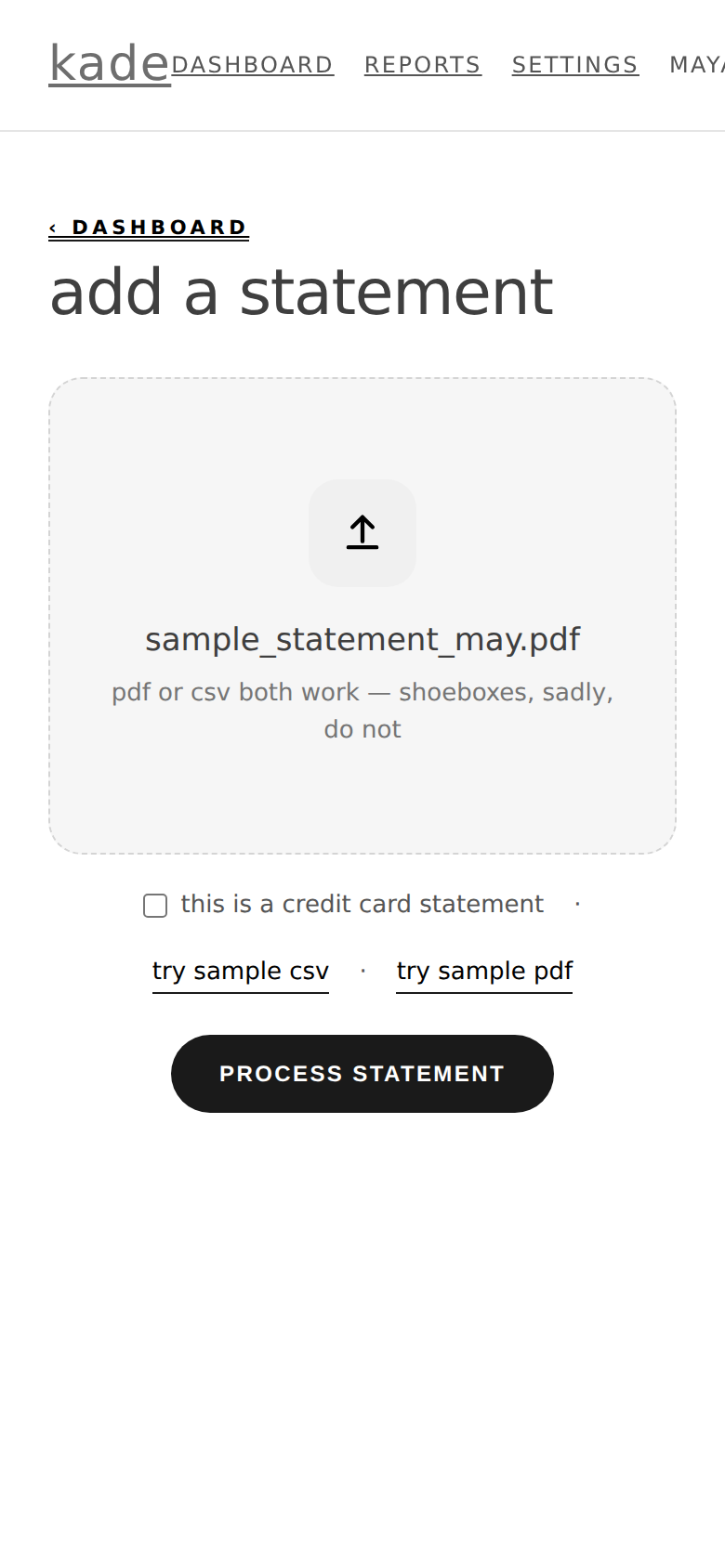
- from your dashboard, click add a statement.
- drop in a PDF or CSV of your bank or card statement — most banks let you download either from online banking.
- kade reads every transaction. even scanned or image-based PDFs work; it will use OCR and, if needed, extra reading tools to pull the numbers out.
- kade checks its work against your statement's own totals — you'll see a ✓ verified badge when everything ties out.
tip: if a PDF won't read cleanly (unusual format or a low-quality scan), download the CSV export from your bank instead — that always works.
reviewing transactions
kade sorts everything automatically and only asks about the handful it isn't sure of. for each one it flags, you'll see two choices:
- confirm — pick the category (or accept the suggestion). it counts toward your business books.
- personal — marks it as a personal expense, excluded from your business totals.
transfers between your own accounts and loan payments are detected automatically and kept out of your income and expenses, so nothing is double-counted.
categories & your schedule c
every category in kade is already mapped to the correct line of the IRS Schedule C (the form sole proprietors and single-member LLCs use). so there's nothing to translate at tax time — your rent lands on the rent line, supplies on the supplies line, and so on. you can change any transaction's category from the month view.
big purchases (equipment, furniture, computers)
if you buy something for the business that costs $2,500 or more, kade flags it for a quick look and notes it as a possible asset. you categorize it as usual (typically tools & equipment) and it shows on your profit & loss — but big purchases like these may need to be depreciated rather than deducted all at once, and that's a decision for your CPA, not software. kade lists every purchase of $2,500+ in its own section on your reports so your CPA can find them and decide how they're treated. you don't have to figure out depreciation yourself.
what kade remembers
when you confirm or correct a transaction and leave remember checked, kade learns it. the next time a similar merchant shows up — even with a different store number or date — it categorizes it the same way automatically. you can see and delete anything kade has learned under settings → what kade has learned.
cash, venmo & tips
kade reads whatever lands in the bank or card statements you upload — so venmo, zelle, and square payouts that hit your account are all caught. peer-to-peer payments (venmo, zelle, cash app, apple cash) are always flagged for you to confirm, since kade can't tell on its own whether they were business or personal. cash you deposit shows up on your statement and is handled like anything else. cash you don't deposit isn't on any statement, so kade can't see it — keep a simple tip log and give it to your cpa alongside your kade reports.
reports & exports
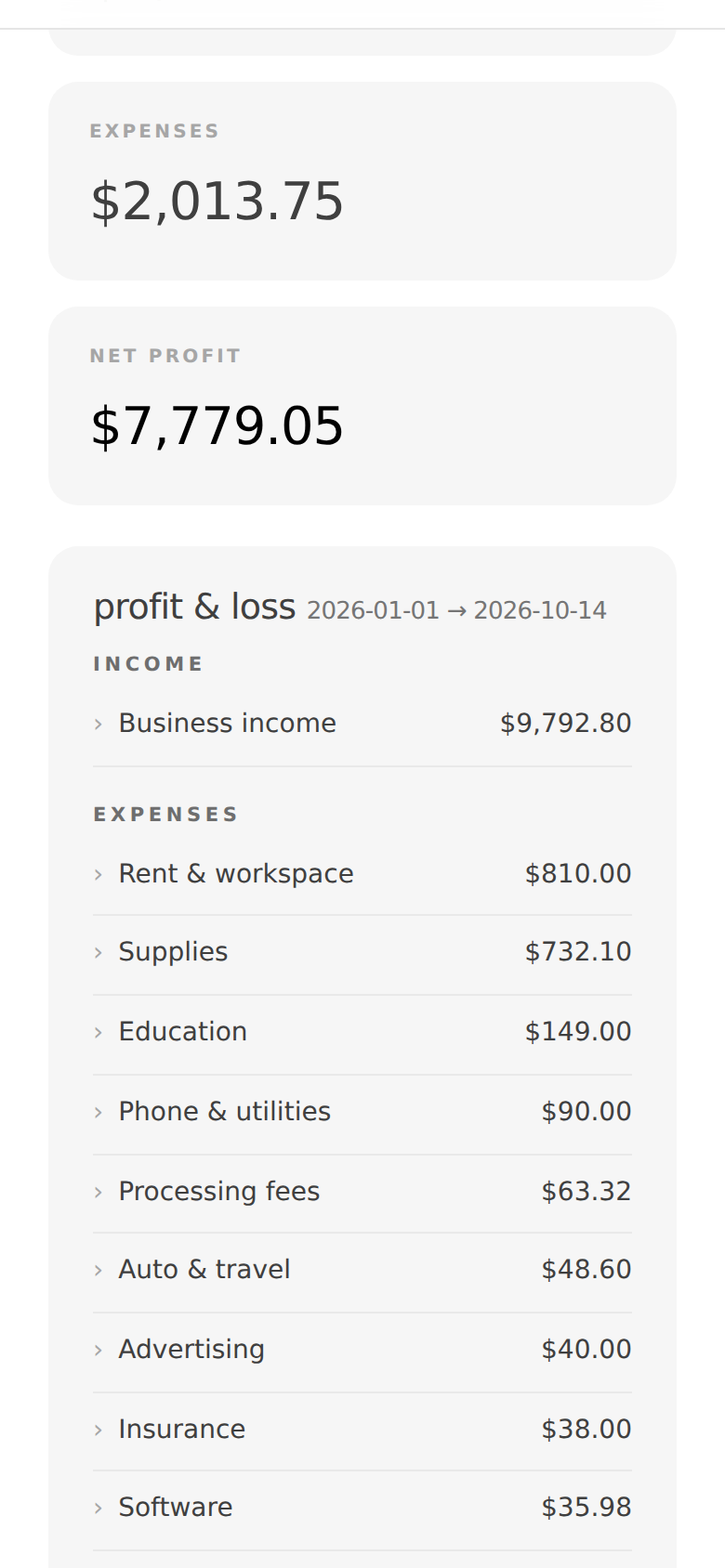
any time, you can generate a profit & loss for a date range from the reports page, and download it as:
- PDF — a clean, professional report to keep or hand to your CPA.
- CSV (summary) — totals by category, opens in Excel or Google Sheets.
- CSV (detail) — every transaction, by category, with totals — also for Excel or Sheets.
each month view has the same export options, scoped to that month.
billing & plans
your first statement is free. after that:
- per statement — pay a flat fee for each statement you upload.
- whole year — one price for 12 months of unlimited statements from the day you buy, any statement date. buy in january to catch up on last year and you're covered for this year too. it renews automatically each year; cancel anytime and keep access through the end of your paid period.
if you delete a statement, the upload it used is refunded, so re-uploading never charges you twice. your current plan is always shown under settings.
your data & security
kade never asks for your bank login. you choose what to upload. your data is encrypted in transit, never sold, and always yours — you can export or delete your information at any time. kade organizes your books and prepares your numbers; it is not a tax preparer, and nothing it produces is tax or legal advice. for the tricky calls — mileage, home office, loan interest — check with a qualified tax professional.